
Five Clues is a short guessing game, one puzzle a working day. You are told the category, such as Films or Countries, and you find today's answer with as few clues as you can. It takes a minute or two, earns some XP and counts as activity for your streak.
The puzzle has nothing to do with your trainings. It is a reason to drop by, not something you are assessed on.
The banner on your Dashboard is the way in
The puzzle has no entry in the sidebar. You reach it from the Five Clues banner on your Dashboard, or from the Play button in your organisation's Slack channel (section 7).
The banner shows the day's category and a line telling you where you are:
| Where you are | The line reads | The button |
|---|---|---|
| Not started | "One free guess on the category alone, before any clue." | Play |
| Some clues opened | "Clue 2 of 5." | Continue |
| Finished | Your result, such as "Solved on clue 2 of 5." | None: your result grid takes its place |

The banner is not shown:
- on Saturdays, Sundays and French public holidays, when there is no puzzle;
- on a working day with no puzzle scheduled;
- if you have turned off Take part in gamification in Settings › Gamification;
- if the puzzle could not be loaded.
Show level on dashboard has no effect on it.
One puzzle a day, the same for every organisation
There is one puzzle per working day, and every organisation on WeLearn gets the same one. The day runs on Paris time: a new puzzle starts at midnight in Paris, wherever you are.
Each day draws from one of these categories, in turn: Films, Writers, Musicians, Actors, Countries, Video games, TV series, Books, Paintings and Animals.
Opening the page does not enter you for the day. Nothing is recorded until you guess or ask for a clue.
Guess blind, then one clue at a time
- Before any clue, you see "No clues yet" and "One free guess, on the category alone. Get it wrong and you simply see clue one." Guess now, or select Show first clue.
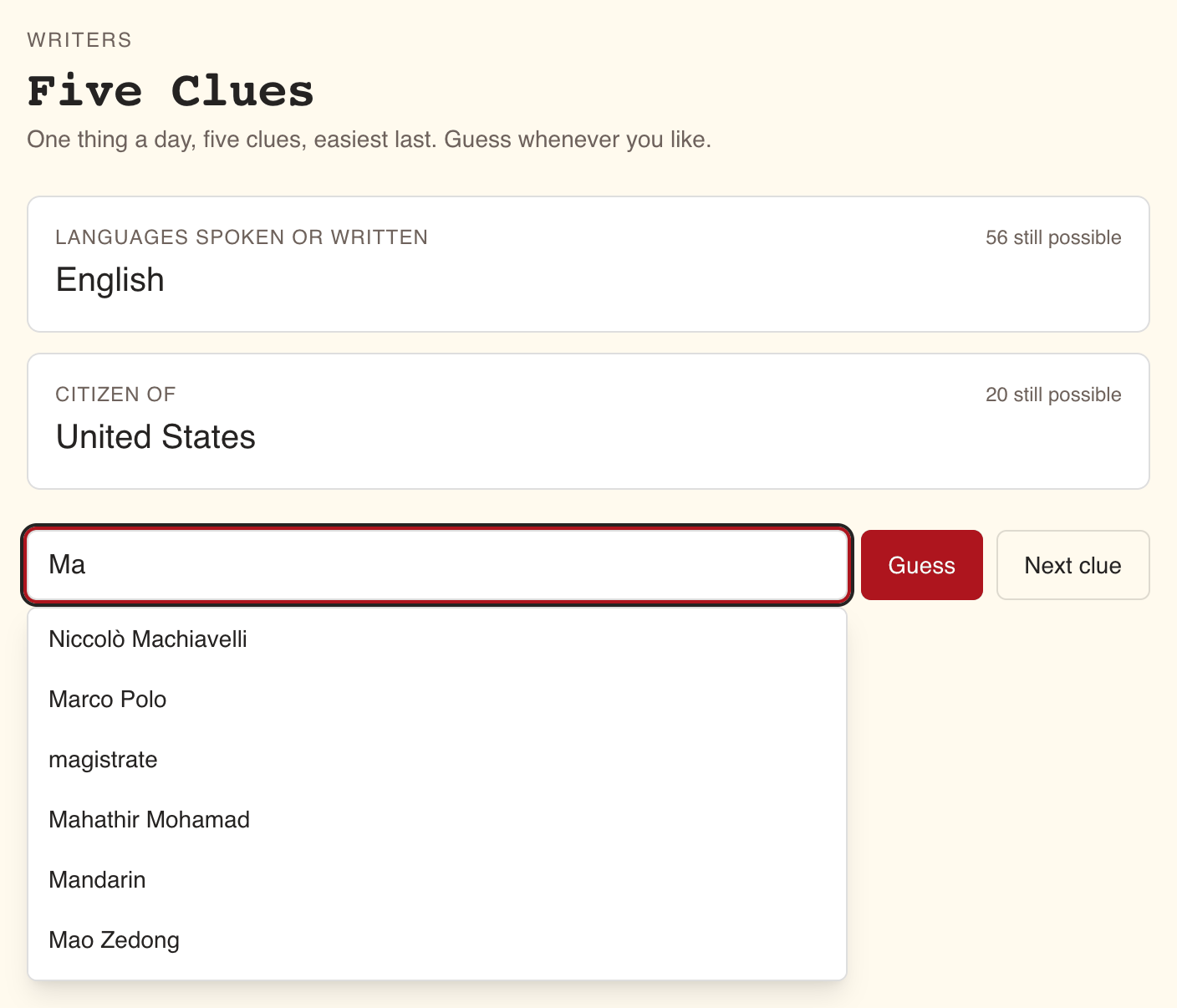
- Each clue appears as a card with what it describes, such as Director or Capital, its value, and how many answers in the category are "still possible" given every clue so far.
- Type your answer in the box. After two letters, up to eight suggestions from the category appear; pick one with the mouse, or with the arrow keys and Enter. Then select Guess.
- A wrong guess reads "Not it. Here is another clue." and opens the next clue. Your wrong guesses stay listed, struck through, and stop being suggested.
- Next clue opens the next clue without guessing. It costs exactly what a wrong guess costs.
The clues go from broadest to most telling, and the fifth one gives the answer away.
A typed answer counts when it matches the name, regardless of capitals, accents, punctuation, spaces or a leading "The" or "Le". The name in any language WeLearn knows, or a known alternative name, is accepted. Clue values follow the language you have chosen for WeLearn.
Fewer clues earn more XP
Your result counts the clues you had opened when you answered, whether you opened them with wrong guesses or with Next clue.
| Result | The page says | XP |
|---|---|---|
| Right before any clue | "Guessed blind, on the category alone." | 75 |
| Right on clue 1 | "Solved on clue 1 of 5." | 60 |
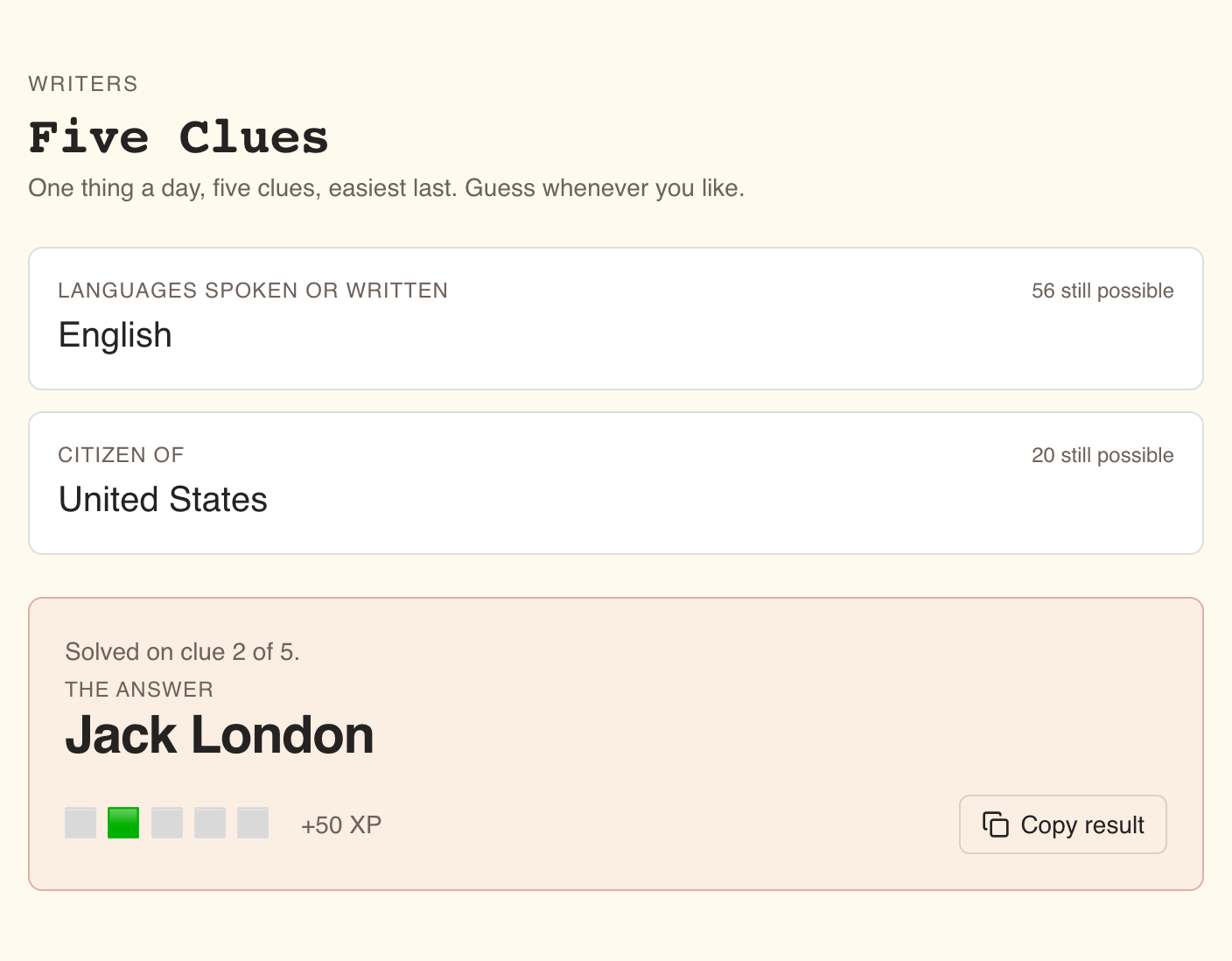
| Right on clue 2 | "Solved on clue 2 of 5." | 50 |
| Right on clue 3 | "Solved on clue 3 of 5." | 40 |
| Right on clue 4 | "Solved on clue 4 of 5." | 30 |
| Right on clue 5 | "Solved on clue 5 of 5." | 20 |
| All five clues used without the answer | "All five clues used." | 10 |
You can finish the puzzle once a day, so it pays once a day. The XP counts toward your level and this week's leaderboard like any other XP. See Gamification.
Finishing, with any result, also counts as your activity for the day, so the puzzle alone keeps a streak going. See Gamification.
When you have switched off Take part in gamification, you can still open the puzzle from Slack and play, but it earns no XP, no streak day and no badge, and the result shows no XP.
Copy result shares your grid without the answer
Once you finish, the page shows the answer under The answer, your XP as "+N XP", and a grid:
- five squares, with the one for the clue you answered on in green;
- a single star for a blind guess;
- five plain squares when all five clues were used.
Copy result copies "Five Clues", the category and your grid, ready to paste into a chat. It shows how you did without revealing the answer. The button reads Copied for a moment.
Two badges come from the puzzle
| Badge | Tier | How to earn it |
|---|---|---|
| Clairvoyant | Bronze | Guess the answer before seeing a single clue |
| Daily Regular | Silver | Finish the puzzle on 10 days, with any result |
The Slack scoreboard lists yesterday's players each morning
If your organisation has connected Slack and an Administrator has set a default channel, WeLearn posts there every working-day morning. One message holds:
- Five Clues and the puzzle's number;
- "Yesterday", the category and how many people played, then everyone who finished, best first: "2/5" with the grid, "blind hit" with a star, or "out of clues" last. People who linked their Slack account appear as a mention, the others by their WeLearn name. After 30 names, "… and N more";
- "N days in a row" when someone in your organisation has finished the puzzle on several working days running;
- "Today" and the new category, with a ▶ Play button that opens the puzzle in WeLearn.
When nobody played the day before, the message has only today's part. The post is in English, whatever your language.
How Slack is connected is in Connecting Slack.