
The demo is a WeLearn space already full of trainings, colleagues, quests and a leaderboard. You walk in as one of its made-up colleagues, with the Manager role, for up to an hour. No account, no email address, no form to fill in. When you leave, everything you did is wiped.
Getting in takes one click and a bot check
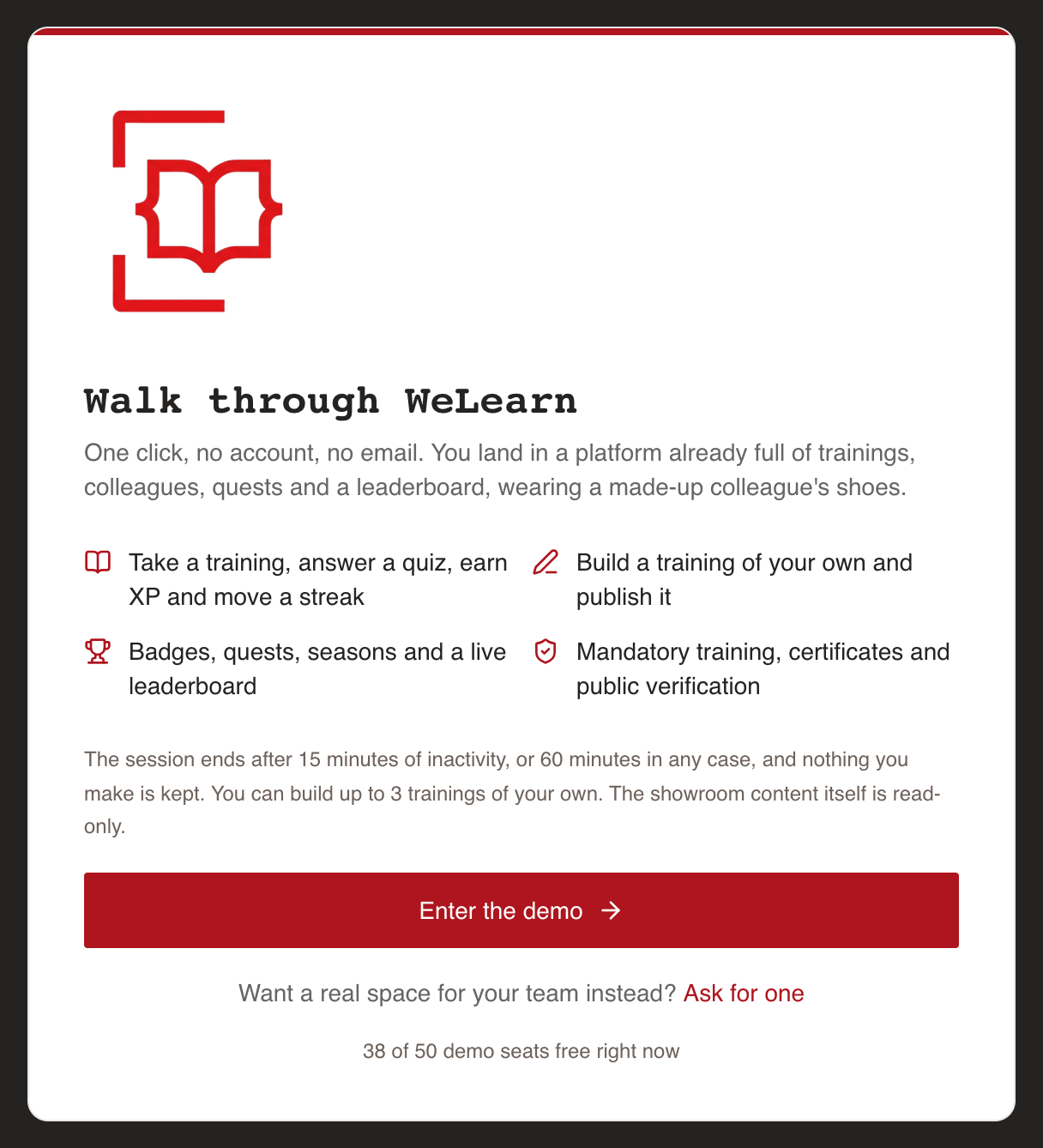
On the WeLearn home page, press Try it now, one hour, no account. It opens the demo's start page, Walk through WeLearn, which says what you can try, states the terms, and shows how many seats are free, for example 12 of 50 demo seats free right now.
Below the terms, a short automatic check (Cloudflare Turnstile) confirms you are a person. Once it passes, press Enter the demo. You land on the demo's Dashboard.
| You see | What to do |
|---|---|
| Every demo seat is taken. | Seats free themselves as visits end, usually within a few minutes. Reload the page in a moment. On the home page the button then reads See when a seat frees up. |
| That check did not go through. Please try it once more. | Let the check run again, then press Enter the demo. |
| The entry check could not be loaded, so the demo cannot be opened from here. | A blocked script or a browser extension stopped the check. Allow it, or try another browser. |
| There is no demo running here at the moment. | The demo is closed. The home page then shows no demo button. |
What you get: a populated space, as a Manager
You are a made-up colleague; the banner gives your name. You start enrolled in four trainings, two of them mandatory: one already certified, one still to take before its deadline. Around you are five trainings, other made-up colleagues with progress of their own, groups, quests, a season and a leaderboard.
As a Manager you can take trainings and score quizzes, earn XP and badges, write and publish trainings of your own, enrol colleagues, and follow your team's progress and compliance. See Roles and what they can do.
The banner stays on every page and counts down
A banner at the top of every page reads This is a demo., gives your made-up name, and reminds you that everything is wiped when the session ends. It shows:
- how many demo trainings you have left to create;
- the time left, ends in …, which changes to ending in a moment in the last three minutes;
- End demo, which ends your visit at once, with no confirmation.
It cannot be dismissed. Sign out in the sidebar also ends the demo, after asking you to confirm.
How long it lasts and what it limits
| Limit | Default |
|---|---|
| Session length | 60 minutes from when you enter, whatever you do |
| Inactivity | The session ends 15 minutes after WeLearn last heard from your browser, for example after you close the tab |
| Trainings you can create | 3. Deleting one does not give it back. |
| Showroom content | Read-only. The trainings and people that were there before you cannot be changed. |
| Size | One item is capped at 256 KB, and one visit at 4 MB of saved content in all |
The start page states the current values. Some things are switched off altogether: changing your photo, uploading images, link previews, the Connect an agent tab (access tokens and AI assistants), Download my data, rating a training, reporting a problem, private notes, and review notes on drafts, including Finish review. The photo controls, the Connect an agent tab and Download my data are simply absent; where a button is still offered, pressing it answers That is switched off in the demo. Request your own space to try it for real.
Nothing you do leaves the demo: no email and no Slack message reaches anyone. Notifications still appear in the bell.
When it ends, everything you made is deleted
At the end, whether you pressed End demo or the time ran out, WeLearn deletes everything you did: trainings you wrote, enrolments, groups, quests, XP, badges, notes. Your made-up colleague is reset for the next visitor. Nothing is kept or anonymised; it is gone. You arrive on That is the end of the demo.
Certificates you earn in the demo are specimens: they are overprinted SPECIMEN, and the public verify page warns This is a demonstration certificate. See Verifying a WeLearn certificate.
After the demo
The end page offers Start another demo, which brings you back to the start page for a fresh visit, and Ask for a space of your own. A space of your own keeps your work, your people and your colour, and nothing in it expires. See Requesting and setting up a space.
For what the bot check sees and what the demo keeps about you, see the privacy notice.